Corporate events
How to Organize a Corporate Golf Outing Your Team Will Actually Talk About
If you got handed “plan the company golf outing” this year, you are probably in HR, marketing, or sales, not the pro shop. The good news: the parts of a corporate outing people actually remember have nothing to do with your handicap and everything to do with how the event is run.
This guide covers the format, budget, and engagement decisions that separate an outing people talk about from one that quietly disappears after the awards lunch, plus where a live leaderboard changes the entire feel of the day.
Why Most Corporate Outings Fall Flat
The default corporate outing is a single shotgun-start scramble: a field of foursomes, one gross score per team, an awards lunch four hours later. It works, but it has a structural problem. Nobody knows how the day actually went until someone reads scores off a printout at lunch.
What tends to go wrong
- One or two strong golfers on a team can carry a scramble, so weaker players stop contributing after a few holes
- Non-golfers and spectators have nothing to follow during the round
- Standings are a mystery until someone tallies scorecards by hand afterward
- The event never becomes a story people repeat. It's just “the golf thing” the company does
None of this requires a different sport. It requires structuring the same round as a competition people can actually follow.
Set the Budget and Timeline
Per-player cost is what drives everything else, so nail it down before invitations go out. Course fee, cart, range balls, prizes, and food are the baseline; a title sponsor or raffle can offset it if this is a charity or client event.
Lock this down 6-8 weeks out
- Confirm shotgun start availability and max foursome count with the course
- Set per-player or per-team cost, including any sponsorship offsets
- Decide who is invited: employees only, clients and employees, or open registration
- Pick a rain date or weather policy before anyone asks
Outing still months away? Get an email reminder when it's time to set up live scoring.
Pick a Format That Works for Every Skill Level
A scramble is still a great fit for a mixed group. Everyone plays from the best shot, so a beginner is never the reason the group loses a hole. The fix is what you build on top of it: instead of one gross score per foursome floating in a spreadsheet, split the field into two sides (departments, offices, or clients versus hosts) and play each foursome as a 2v2 match worth team points, the way a Ryder Cup style event does.
You don't have to put every group in the same format, either. Your newer golfers can play a scramble while a group of low handicaps plays alternate shot and another pair goes head to head in singles, all in the same round and all counting toward the same team score.
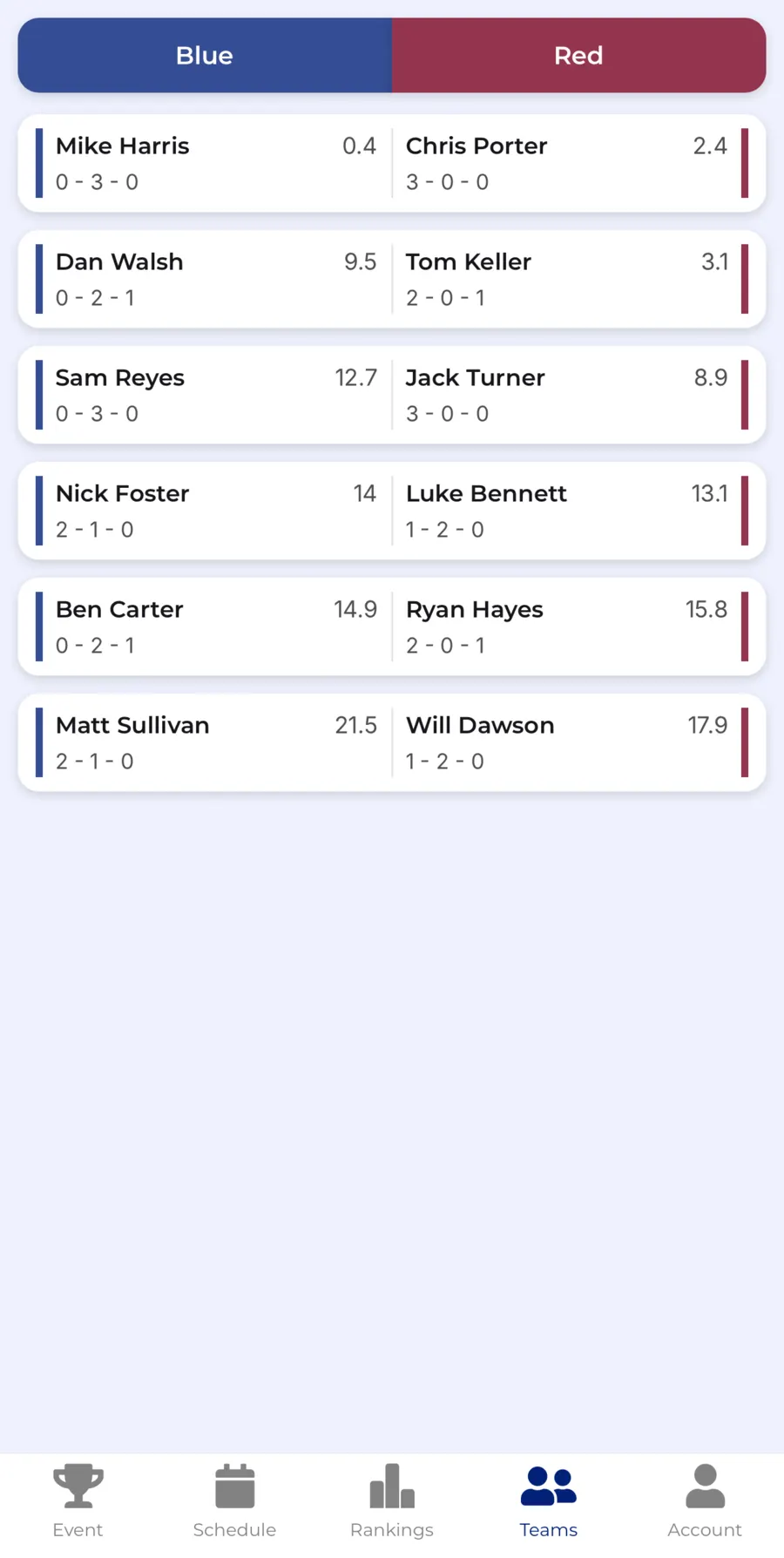

A simple structure for a large field
- Split everyone into two “sides,” like sales vs. everyone else, or clients vs. hosts
- Pair each foursome as two players from each side, so every group is its own match
- Score net, not gross, so a wider range of handicaps stays competitive. Players without an official handicap can be given one manually
- Each match win is a point for that side, and the side with the most points takes the trophy
Give Non-Golfers a Reason to Care
Not everyone at a company outing plays golf well, and some are only there for the lunch and the networking. Side games are how you pull them into the competition anyway.
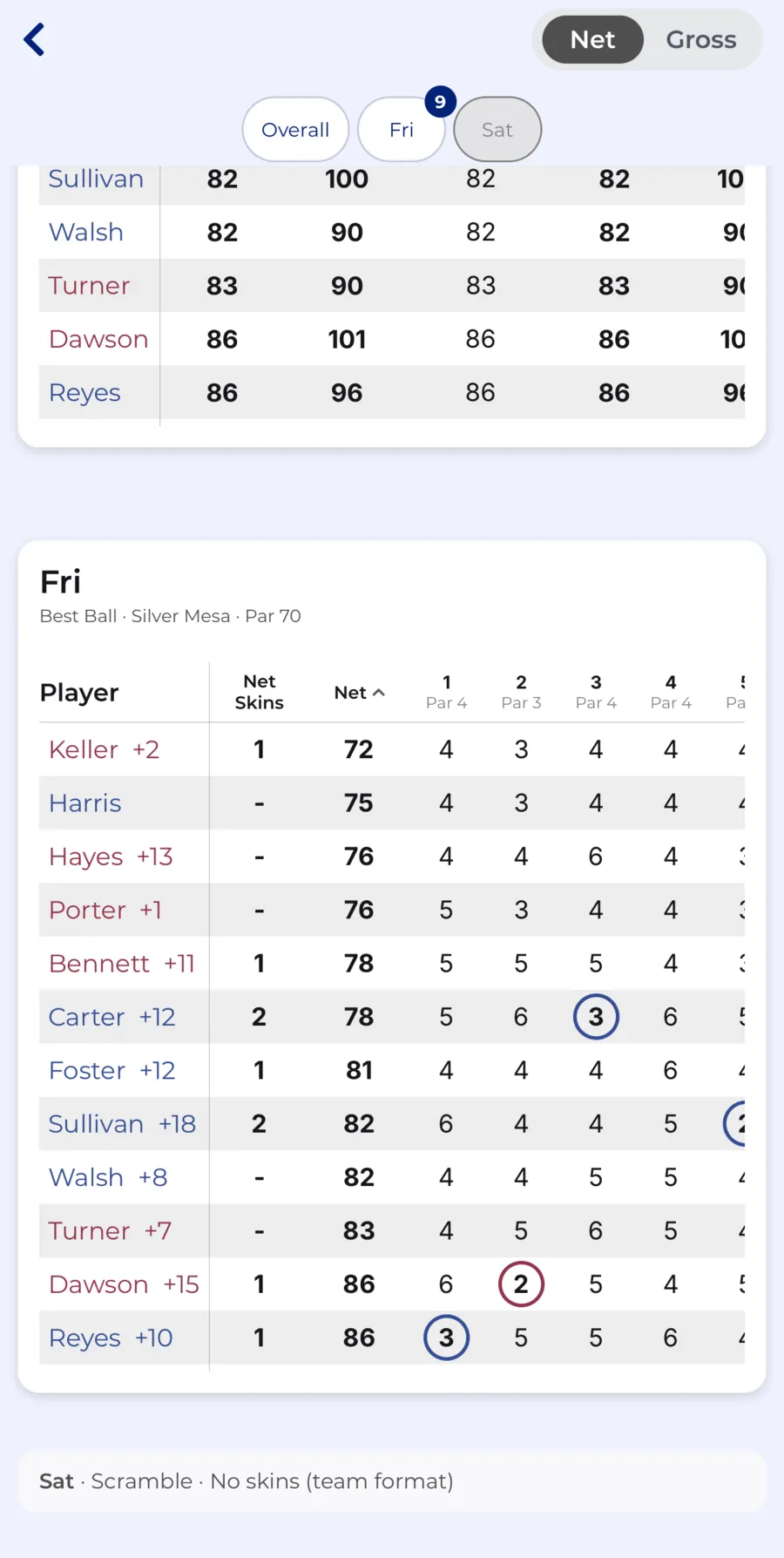
Side games that travel well in a big field
- Closest to the pin and longest drive on marked holes, prizes announced at lunch
- Net skins, tracked automatically instead of by honor system
- A putting contest before the round for anyone who arrives early
Skins don't require a scorekeeper walking the course. CupTracker calculates them automatically from the scores players already enter, so results are ready the moment the last group comes in. Closest to the pin and longest drive still work best with a marker on the hole. And for anyone not playing at all, a view-only link lets them follow the live standings from their phone, no app or account needed.
Keep the Room Engaged With a Live Leaderboard
This is the single biggest difference between an outing people forget and one they talk about. A shotgun-start field of a dozen foursomes is spread across the entire course for four-plus hours. Without a live leaderboard, the standings are a complete mystery until someone announces them at lunch, which means the room has nothing to talk about during the round itself.
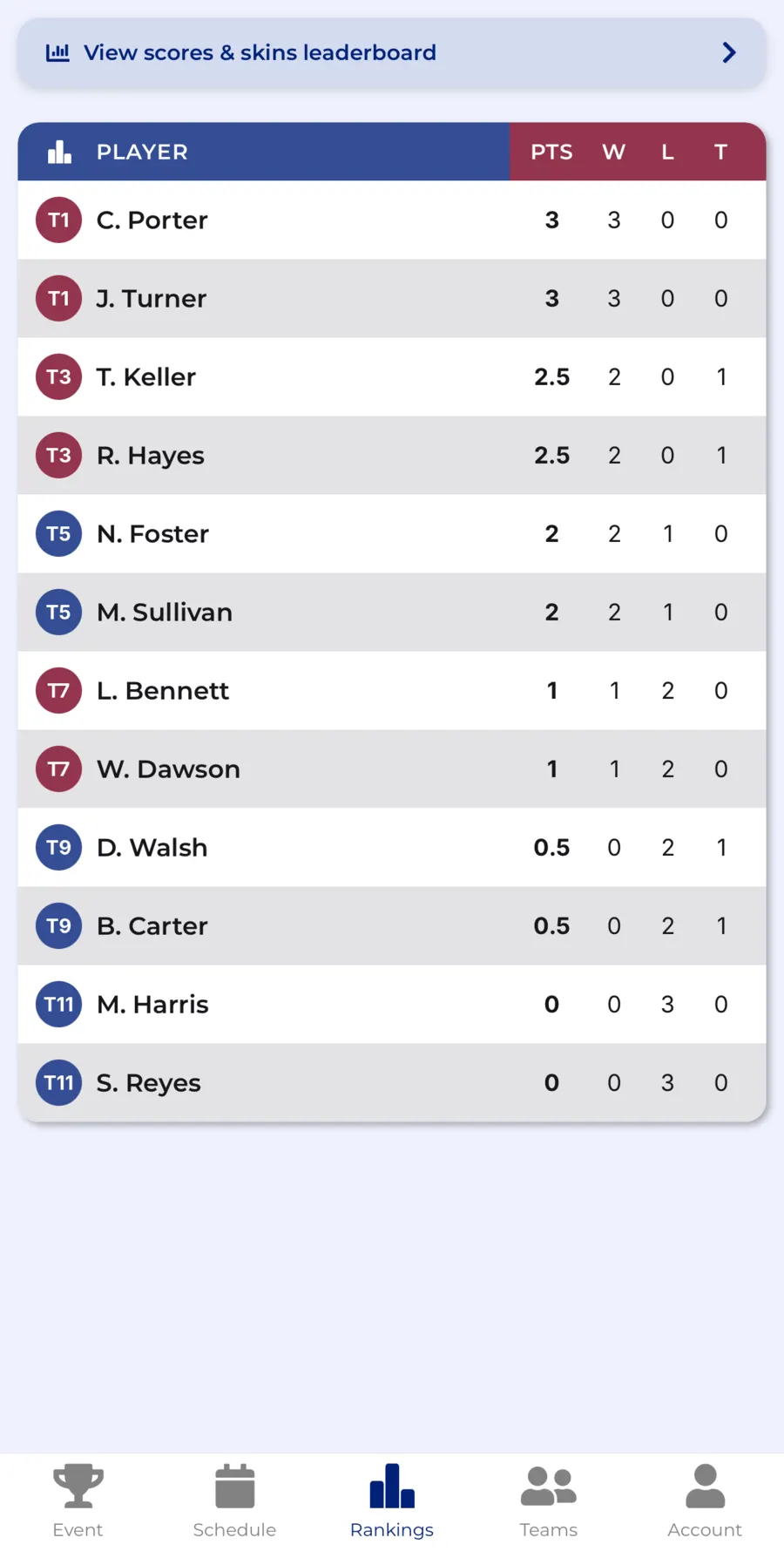
With scores updating live on everyone's phone, a group making the turn already knows they are two points off the lead. That is what turns the back nine into a real competition instead of just the second half of a round, and it gives your emcee something to build on before the awards are even handed out.
Make It a Tradition, Not a Line Item
Whether this is a client appreciation day, a sales team offsite, or a charity fundraiser, the outings that get bigger every year are the ones with a history attached: a traveling trophy, a defending department, a leaderboard people can point back to.
To make it stick
- Keep the same sides and format year to year so the rivalry has something to build on
- Keep a running record of which department or client team has won each year. Past events and player stats stay saved in CupTracker
- Send a short recap with final standings the week after, while people still care about the result
For a full week-by-week planning timeline, the same checklist we use for buddy trips applies here. Just swap the group chat for a calendar invite.
Run the Outing, Not the Scorecard Math
CupTracker handles team standings, skins, handicaps, and a live leaderboard for outings of up to 48 players, so you can focus on the room, not the spreadsheet. Planning a bigger field? Reach out and we'll help you set it up.
Loved by golfers. Read their stories